Pack MuleSet and Backup Manager
Pack Mule Set and Backup Manager
A free and open source set and backup manager made just for the Empress ZOIA and Euroburo.
Everything in Pack Mule is about the set: the complete patch memory of your ZOIA or Euroburo, covering all 64 slots.
- Build it from folders, SD card exports, downloads and ZIP archives, or the patchstorage library. Add notes as you like.
- Keep a history of every version and write the finished set to your SD card.
- Import it on the device, and it is ready for your live set, a studio day or a custom multi-effects pedal.
There is nothing to install: Pack Mule runs best in a Chrome or Edge web browser on macOS, Windows and Linux.
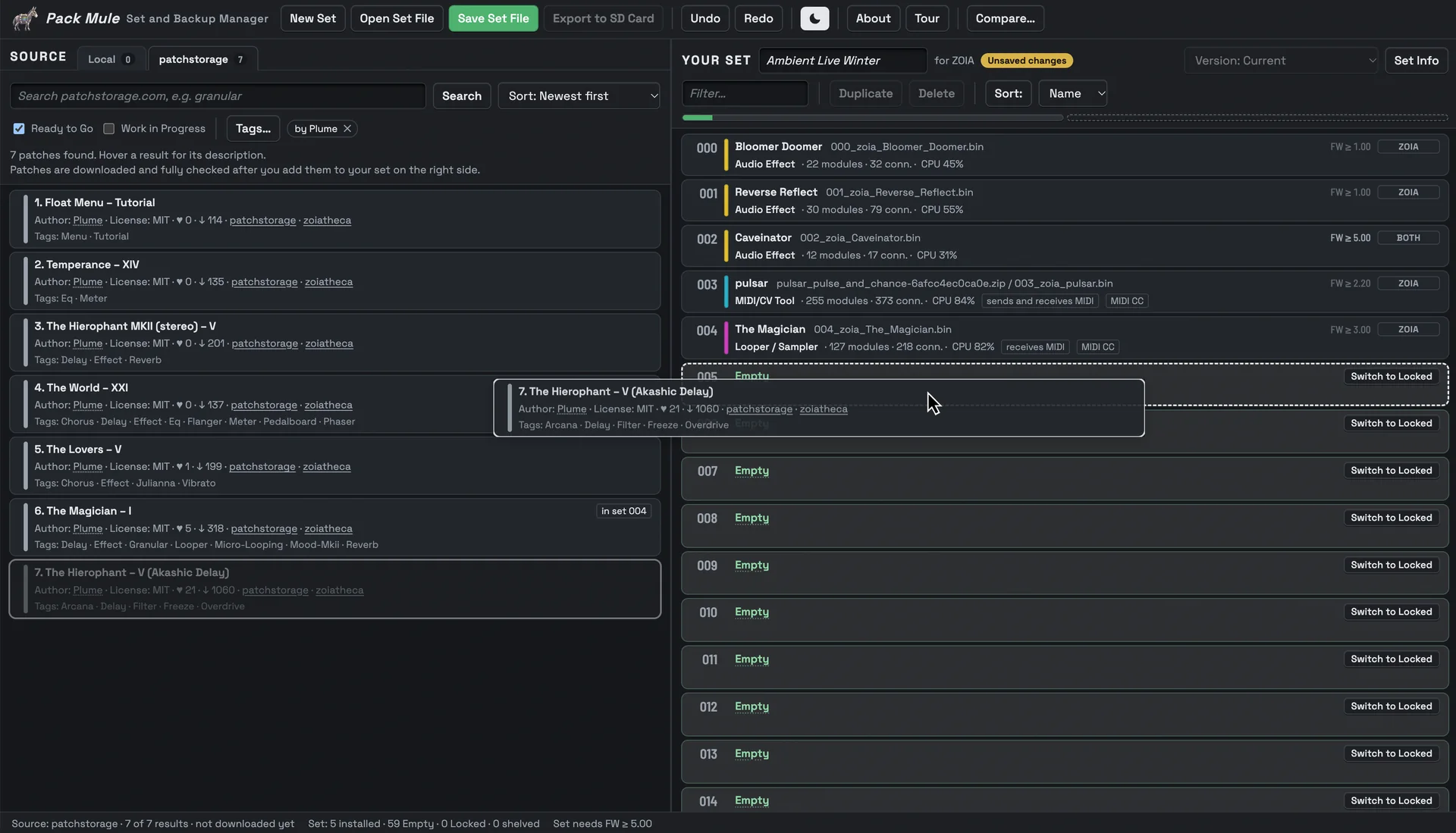
Your ZOIA or Euroburo holds 64 patches. Pack Mule keeps track of all of them.
Patches pile up: your own, exports from the SD card, downloads from patchstorage. Choosing the right 64 for a gig, remembering what was on the device last month or getting an old set back takes time. Pack Mule puts your sources on the left and your set on the right: drag the patches you want into a slot, and the set is ready.
Build sets
Drag patches from folders, ZIP archives or the patchstorage library into the 64 slots. Insert, replace and reorder; patches pushed out of the last slots wait in the Shelved area, so nothing gets lost.
History
Turn an SD card export of your device into a set with one click. Every Save Set File adds a version to the history of the set, with notes and a changelog, all in one file.
Update
Changed patches on the device? Load the new SD card export, and Pack Mule shows what is different, slot by slot. You choose what to take over.
Check
Every patch is analyzed as in ZoE: its type, the firmware it needs, what to set up on the device. The Patch Map shows any patch at a glance.
Export
Write the finished set straight to your SD card as a folder, with a set sheet (README) to read or print. Locked slots keep the patch that is already on your device.
Clean up your ZOIA or Euroburo in just minutes.
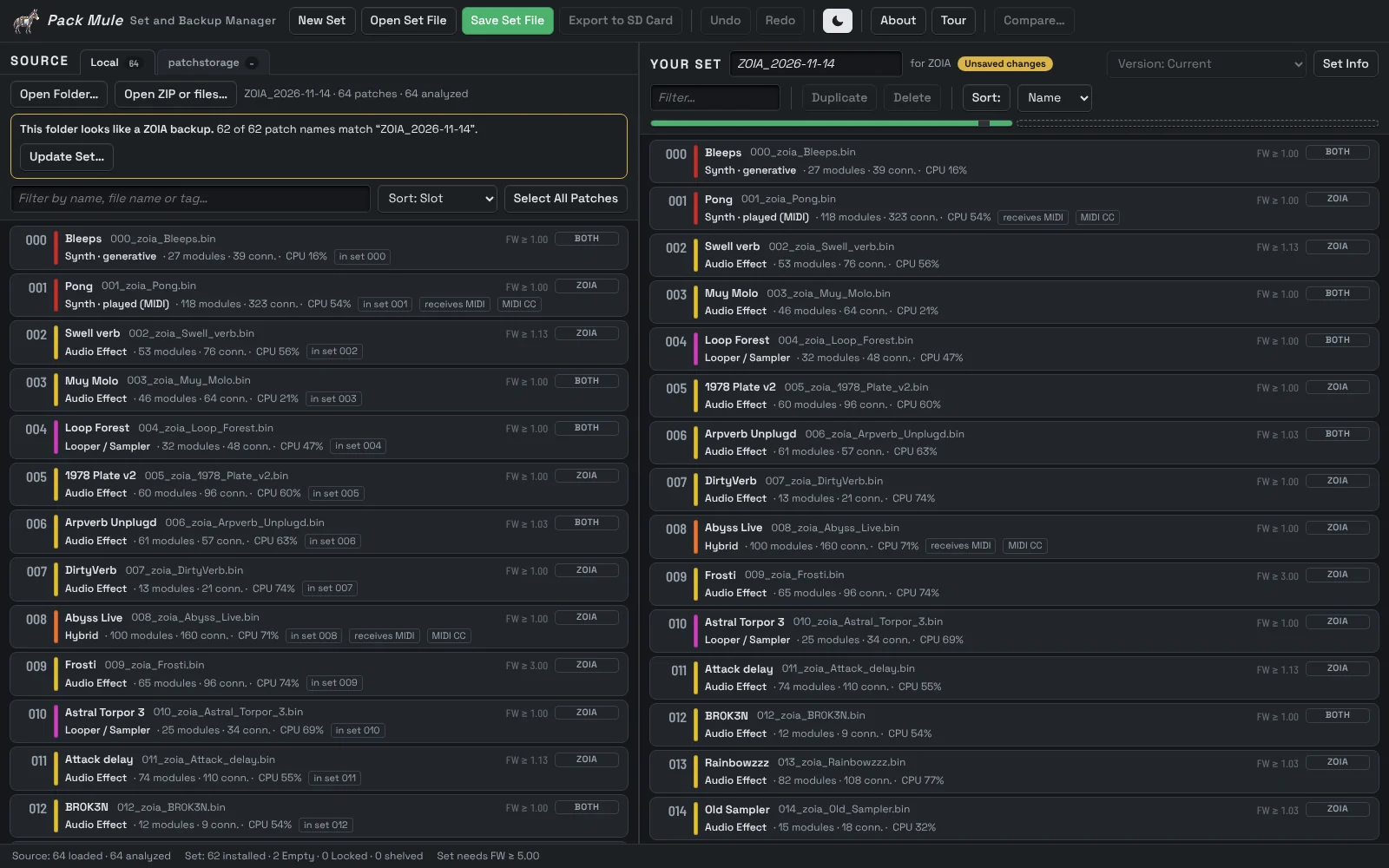
Not happy with how the slots on your ZOIA or Euroburo are set up? Export your patches to the SD card: press Shift + Config and choose “Patches to SD”. Open the exported folder in Pack Mule, create a set from it, and sort and clean up to your liking.
Save your set, then export the set to the SD card and load it on your device with “Patches from SD”. The device keeps a backup of every patch it overwrites. Done. The folder on the card also holds a set sheet (README.html) that lists every slot, to read or print, so you always know what is where.
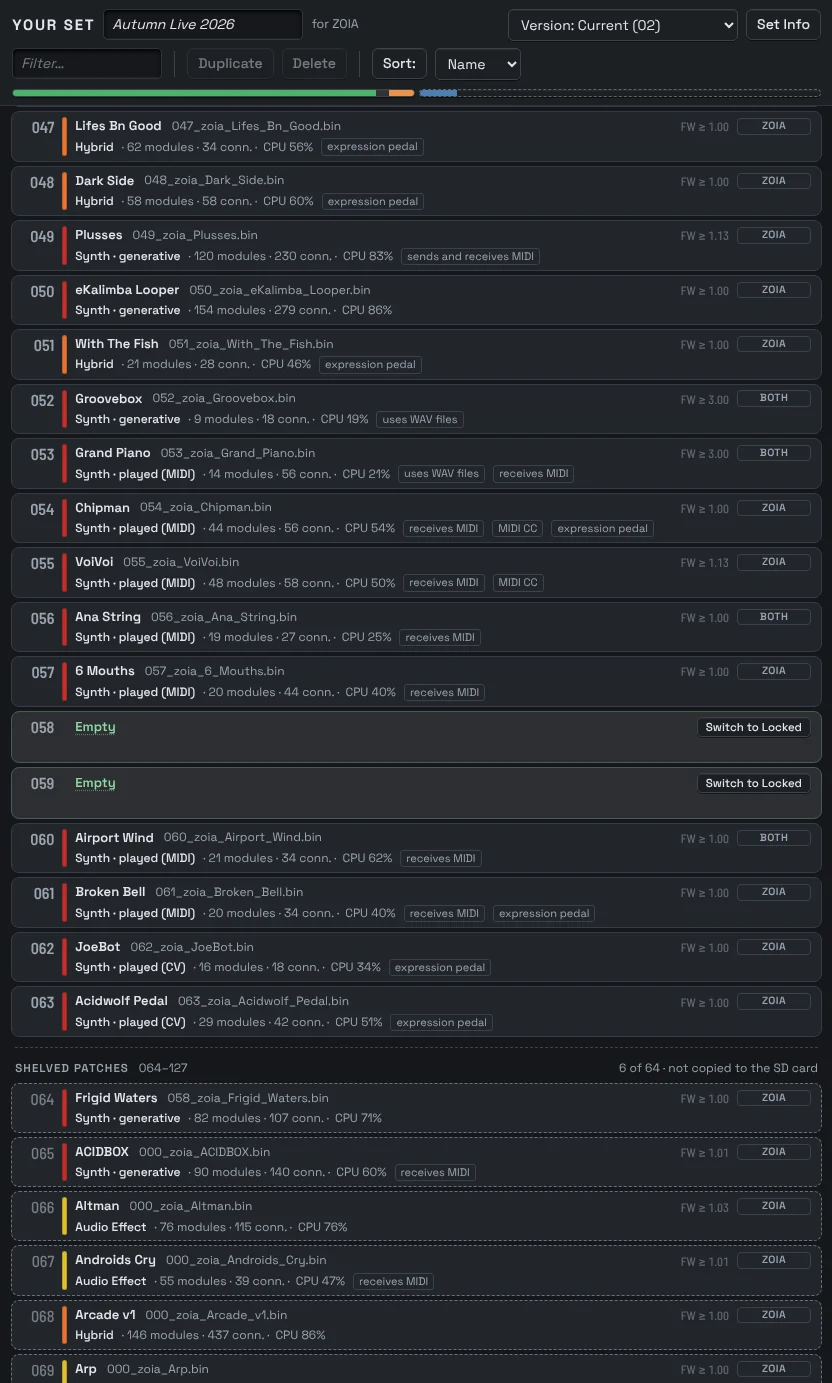
Build a set for tonight’s gig, just by dragging.
Pick the patches you need on stage and drag them into the slots in the order you play them. Drop patches between two slots to insert them: the patches below move down into the next Empty slots. Drop one onto a patch to replace it. Patches that no longer fit go to Shelved: they stay in the set file, but are not copied to the SD card.
Slots set to “Locked” will not be touched when your ZOIA or Euroburo imports the set, for example the slots where you try out your own patches. “Empty” slots are erased on the device when you import the set.
The bar under the set shows how much room is left: 64 slots and 64 shelved places.
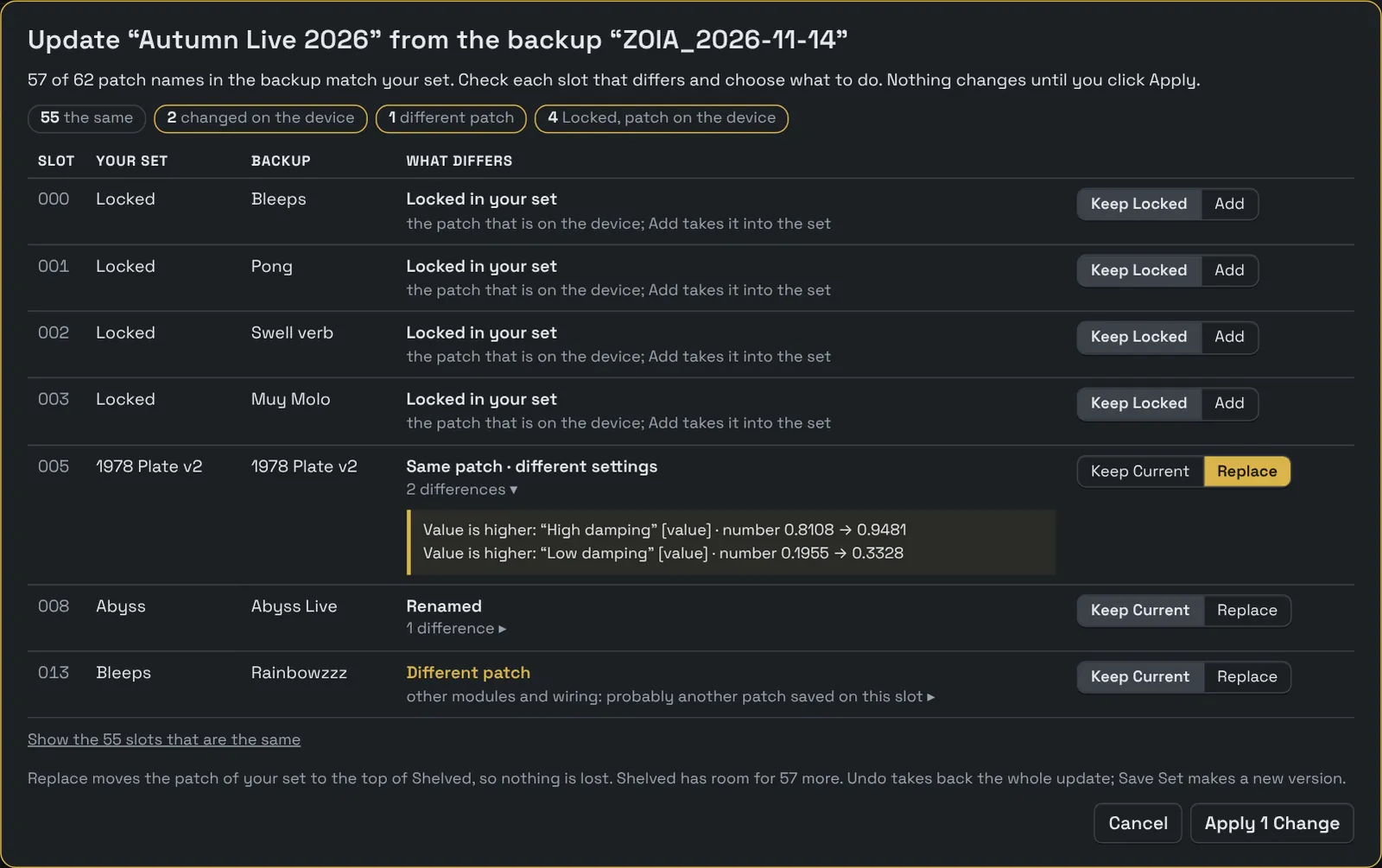
Bring your patch changes back into the set.
Tweaked patches on your ZOIA or Euroburo during a studio day? Press Shift + Config, choose “Patches to SD”, and open the exported folder in Pack Mule next to your set.
Update Set compares the new export with your set: other settings, a new name, a different patch. You choose for each slot; one Undo takes the whole update back.
Each Save Set File with changes makes a new version in the same file, with notes and a changelog. Open an older version read only and export it again whenever you need it.
New here? From your patches to a set on the device in five steps.
Open Pack Mule
In a browser on your laptop or desktop. Nothing to install.
Load patches
Click Open Folder… for an SD card export or a patch folder, or search patchstorage.
Build the set
Drag the patches you want into the slots of Your Set. The Tour and the How-To Guide explain the rest.
Save and export
Click Save Set File, then Export to SD Card.
Import it
On the device, press Shift + Config, choose “Patches from SD” and pick the set folder.
More things Pack Mule can do.
Search and browse patchstorage right inside Pack Mule.
Your own patches under Local, loose and unsorted as well as already organized, and the big community library of patchstorage.com one tab over. Search it right inside Pack Mule and drag results into your set. ZIP archives open as a list of their patches. Pack Mule downloads and checks them after you add them, and remembers where each one came from.
Filter by Ready to Go or Work in Progress and by tags, sort by relevance, date, likes, downloads or title. Each result shows its author, tags and a link to its page on patchstorage.
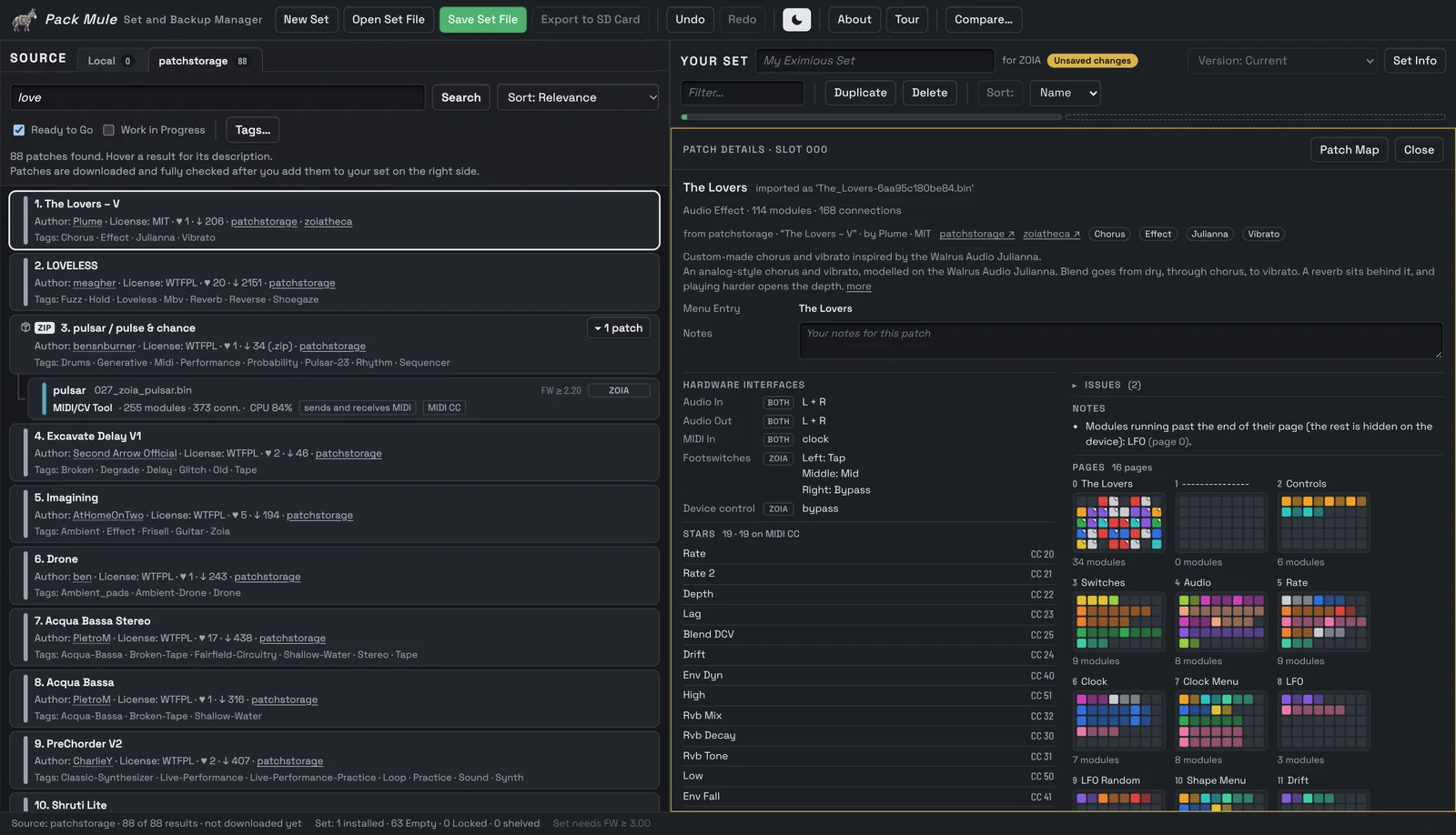
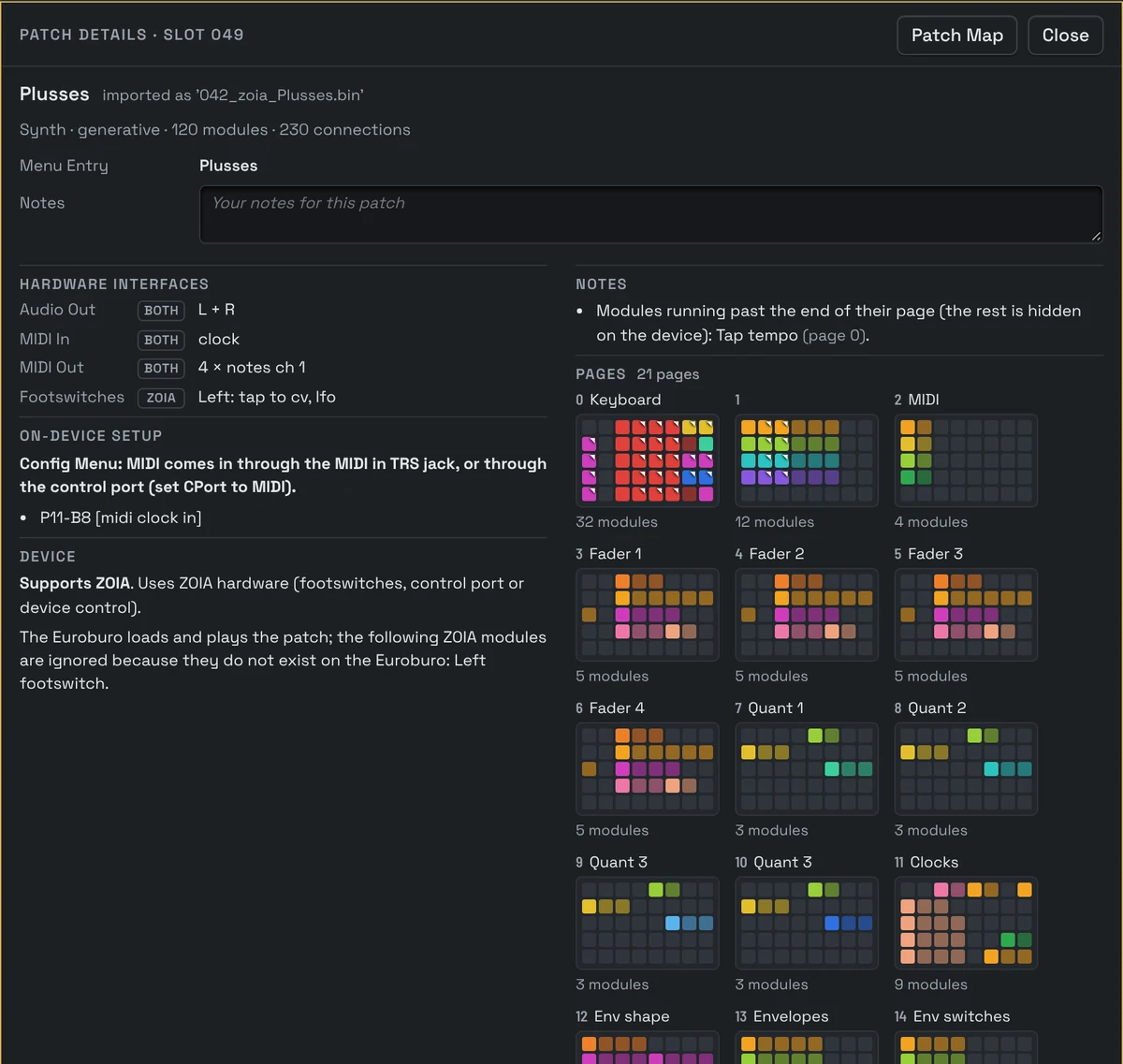
See what’s inside every patch.
Know what’s inside, even for patches you know nothing about: an old download, a patch from a friend, a file without notes. Pack Mule analyzes every patch automatically, the way ZoE does, so you know what you are loading before it is on your device. It tells a ZOIA patch from a Euroburo patch, shows when one runs on both, and reports damaged files.
For every patch you see the firmware it needs at least, and for the whole set the firmware your device must have. Pack Mule estimates how much CPU a patch uses and marks it orange when it gets close to the limit, and red when it may not run at all.
Patch Details shows which inputs and outputs a patch uses, whether it is a MIDI or CV patch, if it needs an expression pedal or plays WAV files, and how the device menu shows its name. So you know what to plug in before the gig. The Patch Map from ZoE shows the whole patch at a glance.
Every export documents itself. Pack Mule writes a set sheet next to the patches on the SD card: every slot with its name, type, device, firmware, what it uses (MIDI, CV, expression pedal) and where it came from, to read on screen or print for the gig. No more guessing what is in slot 037.
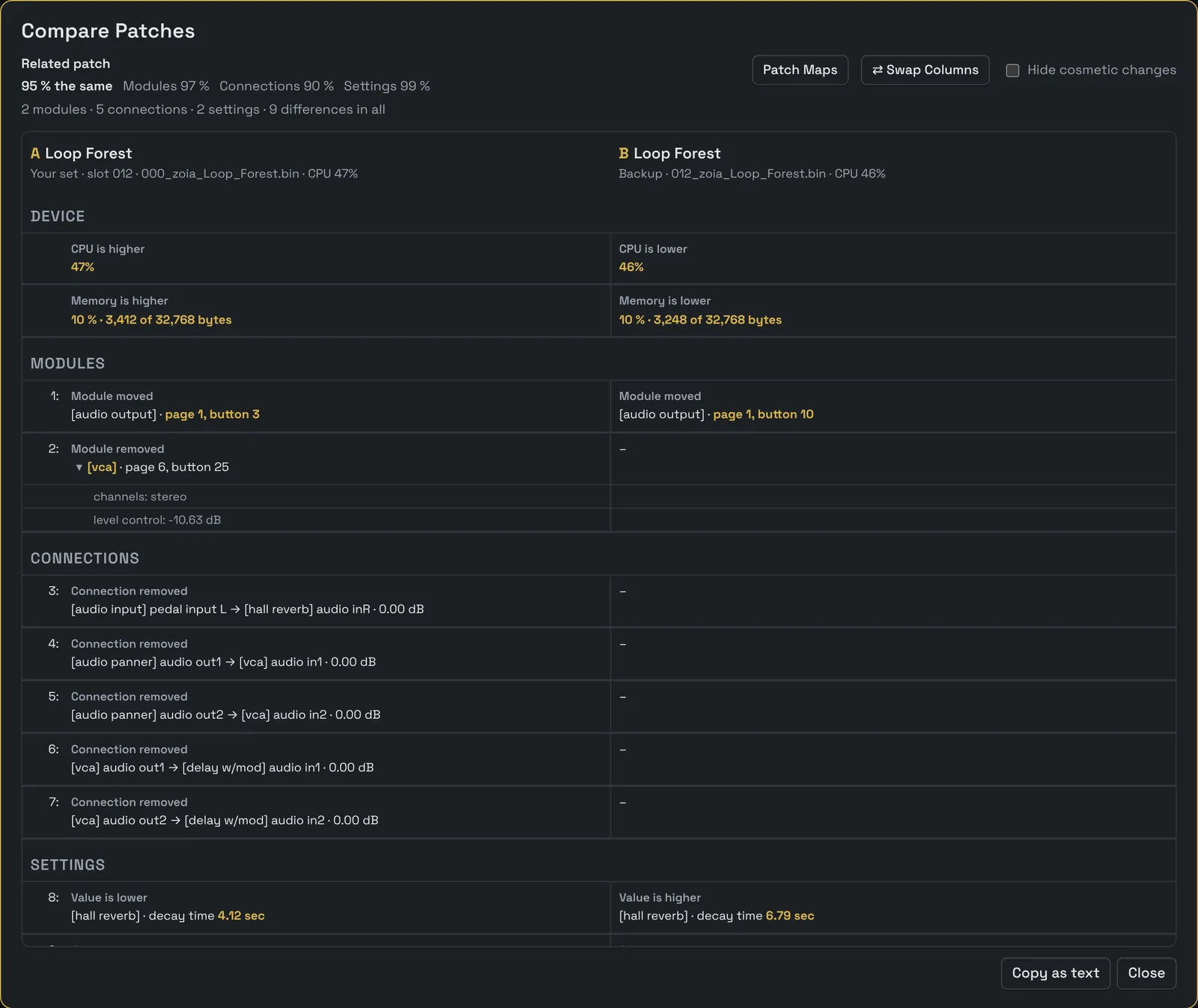
See every difference between two patches.
Select a patch and click Compare…, then click the second one: in your set, in an exported folder or on patchstorage. Pack Mule tells you how close they are, for example “95 % the same”, with a share for modules, connections and settings.
A table puts the two patches side by side: new and removed modules, new and removed connections, changed settings and connection levels, each with the part that differs in dark yellow. Hide cosmetic changes such as new names, and copy the whole comparison as text.
Compare Patch Maps shows the map of both patches, one above the other, so you see the difference at a glance.
Your patches stay yours.
Everything happens in your browser. Nothing is uploaded: Pack Mule reads your patch files on your computer and writes the set file and the SD card folder there. Only a patchstorage search goes to patchstorage.com.
Pack Mule is free software under the GNU General Public License v3.0. It belongs to the same family as the ZoE Visual Patch Editor and uses its patch analysis.
- Licence
- GNU General Public License, Version 3
- Runs on
- Laptops and desktops in a current browser, best in Chrome or Edge.
- Set file
- One .pmule file per set, with all patches, versions and notes.
- Firmware
- Pack Mule shows which firmware each patch and the whole set needs.
Who made this?
By day I’m an engineer, somewhere between software development, electronics engineering and interface design. The rest of the time I’m a music nerd, happiest when I’m listening to vinyl, playing my bass or getting lost in my synth setup.
Over time, my collection of ZOIA and Euroburo patches kept growing, and so did the confusion. I never quite knew which patches were on my devices, which ones I had saved somewhere, or whether I still had a backup of something I’d been working on. Moving patches around, keeping track of different versions and putting together sets was more tedious than it needed to be.
So I built Pack Mule, a little tool to keep everything organized. One place for all my patches, sets and backups, with a history that lets me go back when I need to. No more digging through folders or wondering where that one patch went.
Have fun getting organized,
Adrian